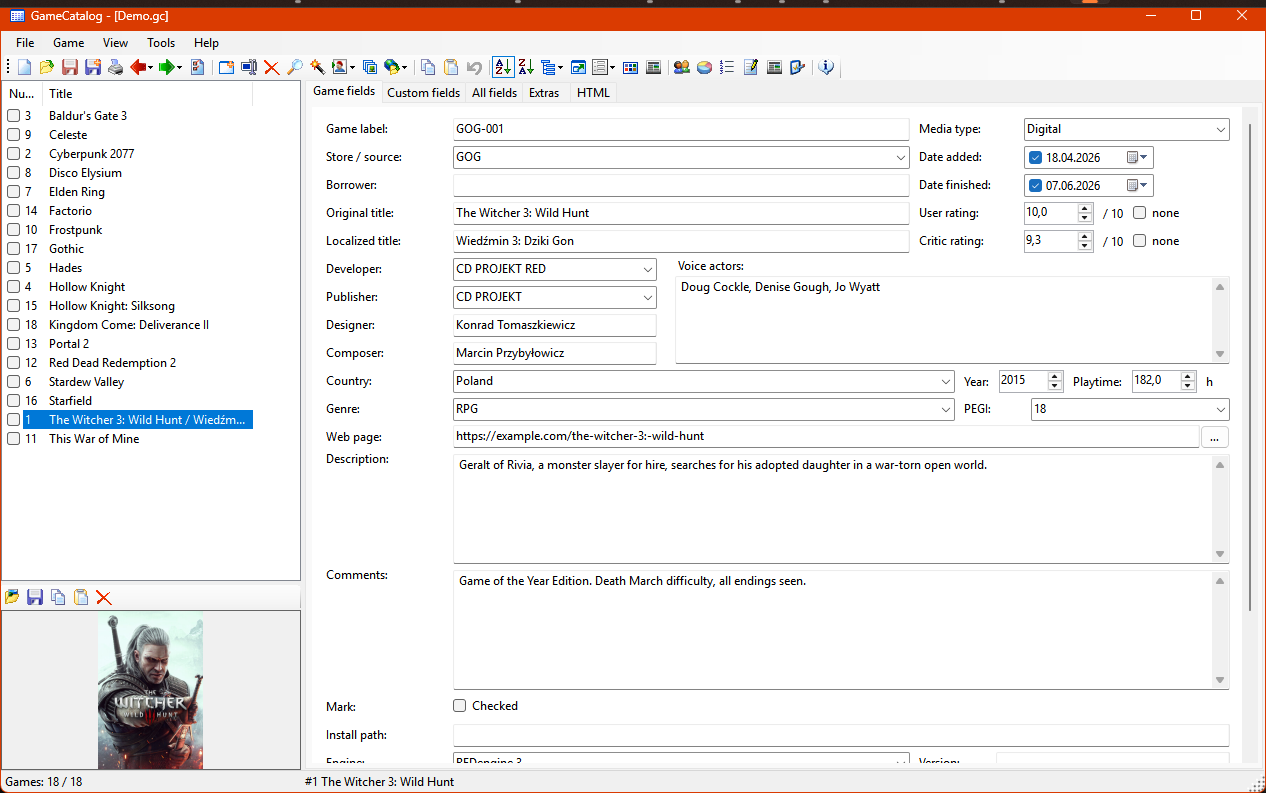
What it does
A desktop catalogue in the spirit of Ant Movie Catalog, rebuilt for games. Your catalogue is a single file you can copy, back up and keep forever.
-
Describe each game
Developer, publisher, platform, store, release year, genre, PEGI, playtime, your rating and the critics', plus fields of your own.
-
Track your progress
Mark games as backlog, playing, paused, finished, 100% or dropped, with the date you finished them.
-
Covers and DLC
Add a cover to every game and list its expansions, season passes and soundtracks underneath.
-
Fetch the details
Built-in scripts look a game up on Steam, IGDB, Wikipedia or GRY-Online.pl and let you pick what to copy in.
-
Find anything fast
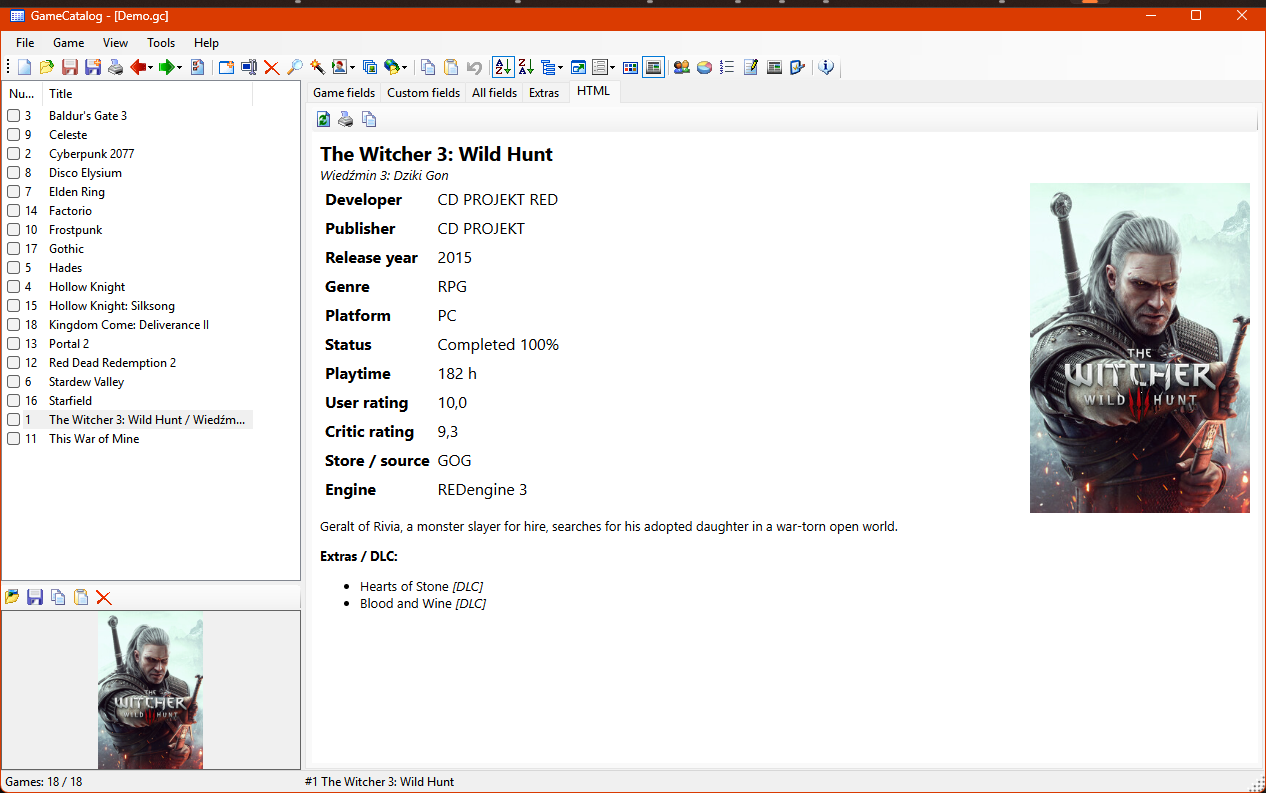
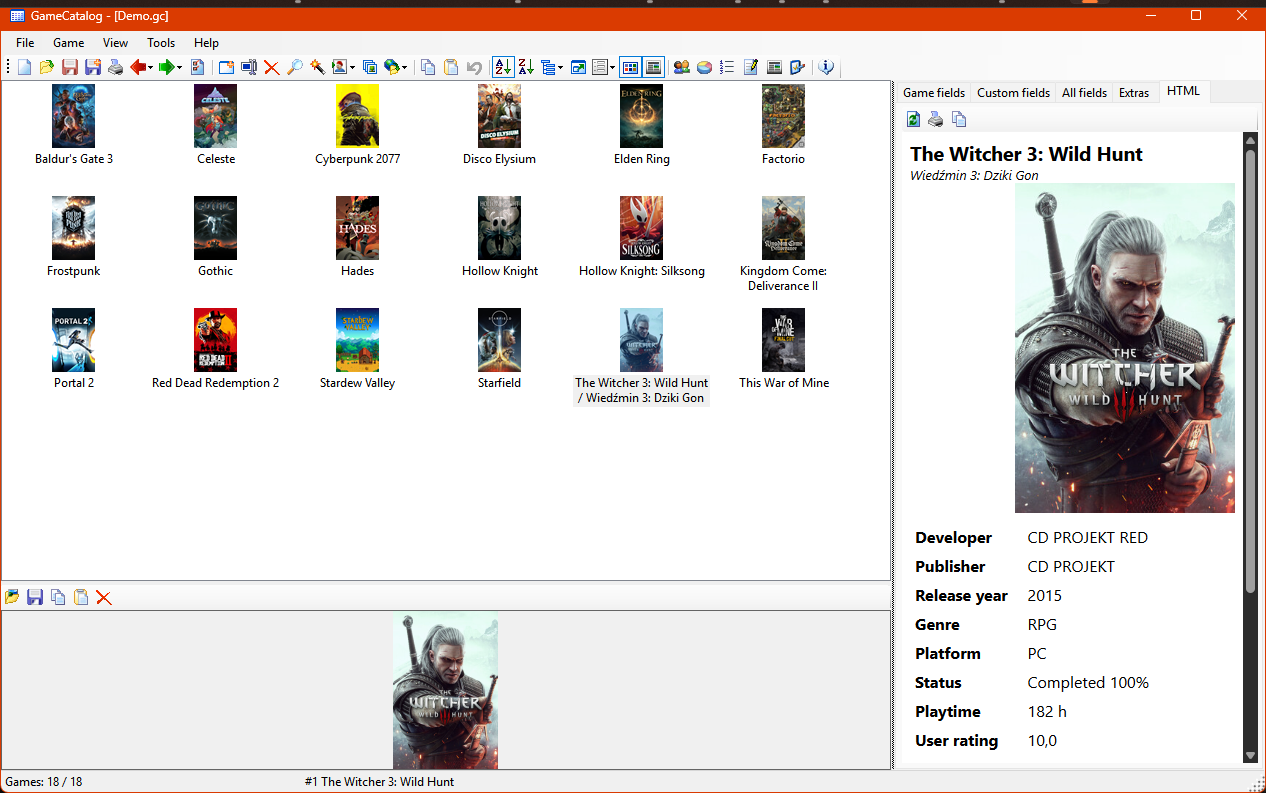
Sort, group and search the list, switch to cover thumbnails, or open a game card you can print or copy.
-
Loans and statistics
See who borrowed which game and when, and how your collection splits by platform, status and year.
See it in action
Coming from Ant Movie Catalog?
GameCatalog follows AMC closely: the same main window, toolbar icon themes, grouping, HTML templates and the idea of scripts that fetch data from the web.
Import your AMC XML catalogue and its fields are mapped to their game counterparts. CSV files and folders of games can be imported too.
Make it yours
-
Scripts
Write C# scripts that fetch or change game data. Start from the Steam, IGDB, Wikipedia and GRY-Online.pl samples.
Browse the sample scripts -
Plugins
Add importers, exporters, commands and side panels. Each plugin runs in isolation, so a broken one never takes the app down.
Read the plugin guide -
Translations
The app is in English and Polish. Export a translation template from the Help menu and add your language.
How to translate
Get GameCatalog
- System
- Windows 10 or 11
- Runtime
- .NET 10 Desktop Runtime
- Game card
- Microsoft Edge WebView2 Runtime, already part of Windows 11
- Install
- Unpack the ZIP anywhere and run GameCatalog.App.exe